
Field formulas
A field formula calculates the value of a field.
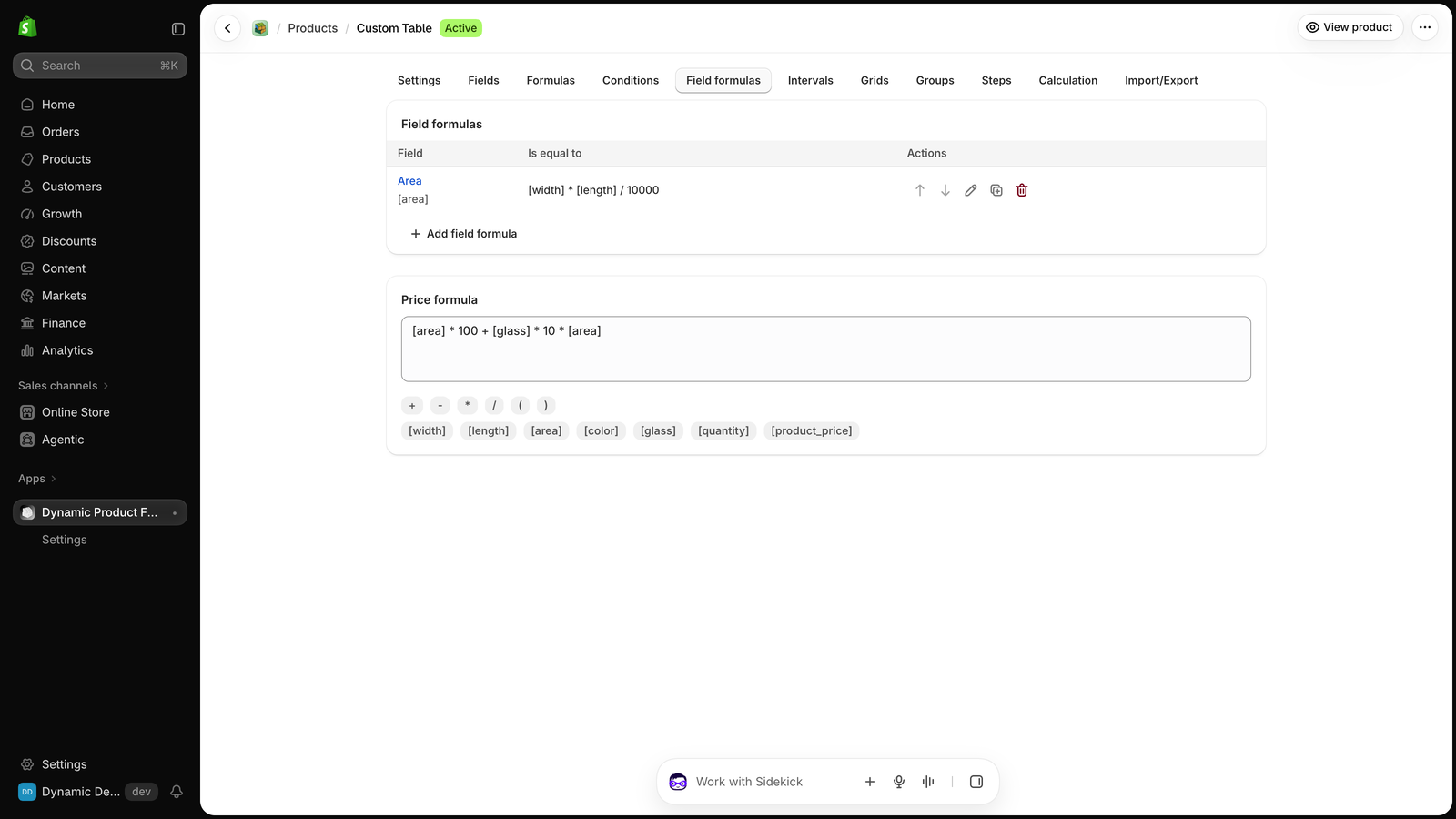
Click Add field formula and write the field to calculate, then =, then its formula:
js
[area] = [width] * [height] / 10000The product page shows the calculated value in that field, and the price formula uses it.
How field formulas work
- They run from top to bottom, after the conditions and before the price formula. A later one sees the result of an earlier one. Use the arrows to change the order.
- A field can use its own value. This rounds the width up to the next 10:
js
[width] = CEIL([width] / 10) * 10- The field stays editable. What the customer types is used in the next calculation, and the field is updated when they leave it.
- To show a value the customer can't edit, use a Dynamic variable field.
- An information text field can't be calculated.
Examples
Area for the price:
js
[area] = [width] * [height] / 10000Minimum width of 50:
js
[width] = MAX([width], 50)Perimeter:
js
[perimeter] = 2 * ([width] + [height]) / 100A product can have up to 50 field formulas. See Calculation to change when they run.